Wait for an API Response in UI Tests: No Fixed Sleep, No Code
Wait for an API response in UI tests without a fixed sleep: a Check Network step waits until the server answers, and the report tells slow from broken.
To wait for an API response in a UI test, wait for the server's answer, not a guessed time. In GUI Test Studio, a Check Network step does it without code and goes on once the call is answered.
You have seen this failure. The test adds an item to the cart and checks the total. On your desk it passes. On the build machine the server takes two seconds longer, the test reads the old total, and the build turns red until someone runs it again.
What does it mean to wait for an API response in a UI test?
Definition
An API response is the answer a server sends back when the app asks it for something: save this order, load these clients, refresh this total.
- Waiting for it means the test does not take its next step until that answer has arrived.
The test then reads a screen the server has really updated.
A UI test, or end-to-end test, drives the app the way a user does. A user waits by looking. A test has to be told what to wait for, and the server's answer is often the honest thing to wait for.
Why does a test click before the data arrives?
A test moves on as soon as its previous step is done. The server, the database and the network move at their own pace. When they are slower than the test, the test acts on data that is not there yet.
| What the test does too early | What you see in the run |
|---|---|
| Opens a list before the new record is saved | The record is missing, so the next check fails. |
| Checks a total before the server recalculated it | The old total is read, and the check fails with the wrong value. |
| Clicks a button that is drawn but not yet filled with data | An empty dialog opens, or the click does nothing. |
| Moves on after a save that the server later refused | Every step after it fails, far from the real cause. |
The usual patch is a fixed sleep after the click. It slows every fast day, and still breaks on the day the server is slower than the guess: a busy CI machine.
Timing is the first cause in flaky tests and false positives, and why fixed sleeps are always wrong has the whole story of the guess.
Most waits belong on the screen
Before you wait for the network, ask what the screen shows once the data has arrived: a row in a list, a new total, a spinner that goes away.
GUI Test Studio, which automates end-to-end tests of any app without code, already waits for the screen.
- Every check has a time it may wait, 5 seconds by default.
- It passes the moment what it expects is there.
- A recorded test gives every clicked element a check placed before the click, so the test never clicks a button that is not there yet.
How long a check waits and what its failure does are set per check: see timeouts, search areas and failures.
When what you wait for is not on the screen
Sometimes the screen says nothing useful, or says it too early.
What the screen shows
- 1Click Save
- 2Saved appears at once
- 3The test opens Orders
What the server does
- 1The order is sent
- 2The server works
- 3Answered, 2.4 s later
A check on the screen passes at once, and the list opens before the new order is in it.
A Check Network on the order's address waits for the answer, and the list opens with the order in it.
- A save the app shows as done at once, while the server confirms it seconds later.
- A call that refreshes data the current screen does not show, used by the next screen.
- A background sync, an upload or an export that leaves the screen as it was.
- A desktop app whose only sign of being done is a line in its own log.
When the screen cannot say the work is done, ask the one who did the work: the server, or the app's own log.
Waiting for a network request in a coded framework
In a coded framework, waiting for a response is code you write for each call, and its order matters.Cypress's documentation says that a route only sees requests sent after it is defined, so the route is defined before the action.Playwright's network page starts waiting for the response before the click, then awaits it after.
| What you need | In a coded framework | In GUI Test Studio |
|---|---|---|
| Name the call to wait for | A URL pattern in the test code, often with an alias. | A part of the address, typed in Address contains. |
| Start listening | Before the action, or a fast answer is missed. | Nothing to start: the run records the network from its first moment. |
| Wait for the answer | A line that waits on the alias or the promise. | A Check Network step after the action, on the timeline. |
| See why a wait failed | Logging you add, then a rerun to read it. | The step says which request answered what, and the report shows its timing. |
The idea is the same in both: wait for a condition, not for a time. The difference is how much you write and keep up, and who can read it afterwards.
Check Network: wait for an API call to be answered, with no code
A run of a test can record what happens beside the screen: the requests a web page makes, its console, a desktop app's connections and its log.Check Network is a step that reads that record while the test runs.
With the rule A request was answered, it waits until a request whose address contains the text you typed is answered without an error.It passes the moment that answer is there.When the time runs out first, it fails, and its words say why: an error status, a refused request, or no answer at all.
Check Network
- Check that
- A request was answered
- Address contains
- /api/cart
- Wait up to
- 5 seconds
- If It Fails
- Stop the test
The cart's request is answered after 0.8 seconds: the test goes on at once.
It is answered with a server error: no good answer within 5 seconds, and the error is named.
Nothing answers in time: the check says no request to that address was answered within 5 seconds.
| Setting | What it means |
|---|---|
| Check that | A request was answered, or No request failed to catch any call that went wrong along the way. |
| Address contains | A part of the call's address, such as /api/cart. A precise part avoids catching another call. |
| Wait up to | The longest it waits, 5 seconds by default. A fast answer ends the wait at once. |
| If It Fails | Stop the test, the default, or Continue the test to see the rest of the run. |
The test stays one visual timeline that a QA team and an AI agent both read and change. People decide which answer the test must wait for, and the engine waits and verifies the app the same way at every run.
How to wait for an API response, step by step
- 1
Record the network during runs
When you record a web app, keep Record network activity and logs during test runs switched on.It is on by default.For an older test, turn on Record During a Run on its Open Web App step, or add a Watch Network at its start.
- 2
Find the action that calls the server
Open the test in GUI Test Studio and find the click or the typing that sends the request, such as a click on Add to cart.
- 3
Add a Check Network after it
In the Events palette, under Test Flow, drag Check Network onto the timeline just after that action.It lands on the time ruler, at that moment.
- 4
Say which answer to wait for
Set Check that to A request was answered, and type a part of the call's address in Address contains, such as
/api/cart. - 5
Set how long it may wait and what a failure does
Set Wait up to to the slowest day you accept.Keep If It Fails on Stop the test when the next steps need the data.
- 6
Run the test and read the report
Run the test. The step's row says which request was answered, or why none was, and the Activity panel shows how long the server took.
The test clicks Place order, then opens the order list and checks the new order's number. On the build agent the save takes up to three seconds. A Check Network on /api/orders, with Wait up to set to 10 seconds, lets the test open the list the moment the order is saved: after half a second on a quiet day, after three on a busy one.
You can also ask an AI assistant to add the step, through Create a test from a prompt: Claude, ChatGPT with Codex, or a local AI model, one we provide or one you bring.Test Flow steps are described in waits, apps, phones and scripts.
Waiting for a desktop app: the line its log writes
A desktop app talks to its servers inside its own process, so its requests cannot be read from outside. GUI Test Studio records which servers it connects to, and whether a connection was refused or failed. Check Network with A request was answered can wait for a connection to a server whose name contains your text.
Often the better signal is the app's own words.Many apps write a line when work is done: Order saved, Sync complete, Report exported.Check Log with the rule The log says waits until a line containing your text is written, in the app's debug output or in a log file you name.
| Rule of Check Log | What it does |
|---|---|
| The log says | Waits up to its time for a line containing your text, and passes the moment it is written. |
| No error was logged | Fails when an error line was written, with Except lines containing for known noise. |
| The log does not say | Fails when a line containing your text was written. |
A log is recorded by the step that starts the app (Run App: debug output, a log file), or from a Watch Log step.Catching the errors a page logs is the subject of catch console errors in automated tests.
What are you waiting for? The step to use
Name what tells you the app is ready, and you have named the step.
| What you wait for | The step to use | It goes on |
|---|---|---|
| An element on the screen: a row, a total, a message | Any check: Visual Assert, Text Assert, Dynamic Text Assert | The moment the element is there. |
| A spinner or a Loading word to go away | Visual Absent Assert or Text Absent Assert | The moment it has gone. |
| A server's answer to a call | Check Network, A request was answered | The moment a request to that address is answered without an error. |
| An app's own signal, a line it writes | Check Log, The log says | The moment the line is written. |
| A fixed delay nothing reports | A Wait step | After the time you gave it. |
Choose the right check starts from the same question for every check of the screen.
A slow server or a broken one: read the wait in the report
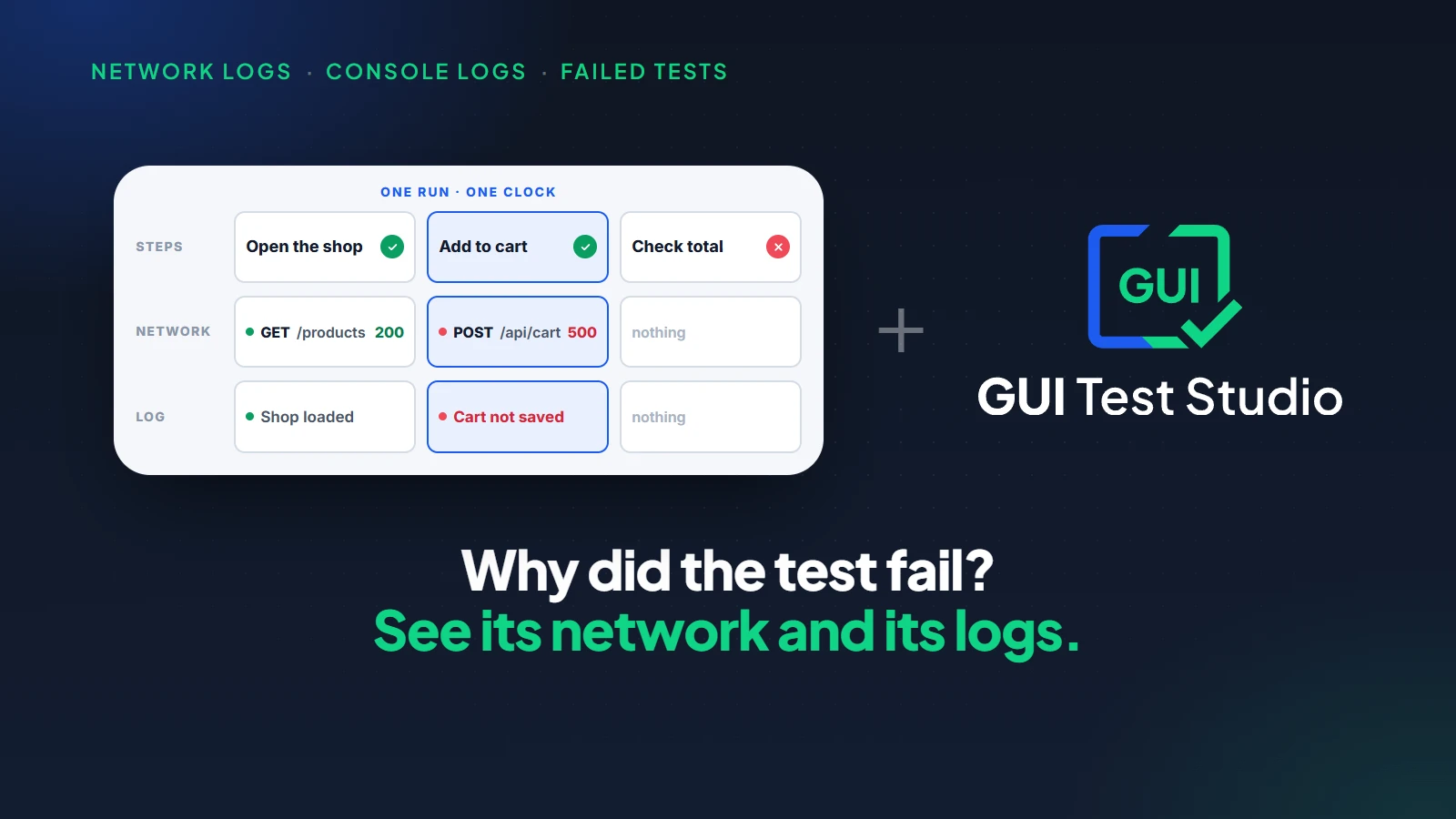
When a wait for the server fails, the first question is who to call. The Confidence Report opens after every run, and its Activity panel lists every request beside the steps, on the run's own timeline.
Activity: Network
A slow server
Waited for the server 4.2 s, received in 0.1 s. The server was busy: talk to the team that runs it.
A large answer
Waited 0.3 s, received in 3.6 s. The server was quick, the answer was heavy.
A broken server
Answered 500 after 0.2 s. Nothing was slow: something is broken.
- Each request shows how long the server was waited for and how long the answer took to arrive.
- A failed one shows its status, or the browser's reason when there was no answer.
- Clicking a request goes to the step that was running.
- When the selected step had a failed request, a line above the steps says so, with Show in Activity.
The requests can be saved as a HAR file and handed to a developer: see a HAR file from automated tests.Reading the network and the console next to a run is the subject of network and console logs in test runs.
On a build machine, gtr-cli prints one line per test with the requests and the failures, and keeps the network and the log beside the run's other files.Run UI tests in TeamCity with gtr-cli shows a pipeline end to end.
What to know before you start
| Good to know | What it means |
|---|---|
| Something must be recorded | A Check Network with no network being recorded fails and says what to add: the recording switch, Record During a Run, or a Watch Network. |
| The first check sees the whole run so far | An earlier call to the same address answers it too. Type a precise part of the address, or place a first check earlier. |
| A desktop app's requests are not read | Its connections are, and its log is. Wait for the line it writes. |
| A phone's network is not read | Its own log is, with warnings and errors. |
| No bodies are kept | A request's and an answer's content are never recorded, and secret headers are kept as hidden. |
Key takeaways
- 1A test that acts before the server answered is flaky: it fails on a slow day and passes on a fast one.
- 2Look at the screen first: every GUI Test Studio check already waits for what it expects there.
- 3When the screen cannot tell you, wait for the server: Check Network with A request was answered goes on the moment the call is answered.
- 4For a desktop app, wait for its own words: Check Log with The log says waits for the line it writes.
- 5The report tells slow from broken: each request shows how long the server was waited for and how long the answer took.
Questions
How do I wait for an API response in a UI test without code?
Add a Check Network step after the action that calls the server, with the rule A request was answered and a part of the call's address. The test goes on the moment a request to that address is answered without an error, and fails with the reason when none is.
Why does my test click before the data has loaded?
Because it moves on as soon as its previous step is done, while the server is still working. On your desk the answer comes in time, on a busy CI machine it does not, so the test reads an empty list or an old total and fails now and then.
Should I use a fixed sleep to wait for a slow server?
No. A sleep long enough for the slowest day wastes that time on every other day, and a slower day still breaks it. Wait for the server's answer itself, or for what the screen shows once it arrived.
What if the screen shows the result before the server confirms it?
Then a check on the screen passes too early. Many apps show Saved at once and send the request afterwards. Wait for the request to be answered with Check Network, then check the screen.
How long does Check Network wait?
Up to its Wait up to time, 5 seconds by default. It goes on the moment the answer is there, so a longer time costs nothing on a fast day. Set it to the slowest day you accept.
Can I wait for a desktop app's server call?
Partly. GUI Test Studio records which servers a desktop app connects to, not its requests, so Check Network can wait for a connection to a server. To wait for the app's own signal, use Check Log with The log says and the line the app writes, such as Order saved.
How do I tell a slow server from a broken one when a test fails?
Open the Activity panel of the Confidence Report. Each request shows how long the server was waited for and how long the answer took to arrive, and a failed one shows its status or the browser's reason.
Does a request answered before the check still count?
Yes. The run records the network from the start, and a check looks at everything recorded since the previous check of the same kind. An answer that came back before the test reached the check is already there.
Cypress and Playwright are trademarks of their respective owners.