Console Errors in Automated Tests: Fail the Test at the Step That Caused Them
Catch console errors in automated tests: a Check Log step fails the test at the step that caused the error, with known noise let through. No code.
To make an automated test fail on console errors, add a step that checks the log right after the part it covers.In GUI Test Studio, a Check Log step set to No error was logged does it, without code.
The test passed, the screen looked right, and a user still reported a broken checkout. When a developer opened the browser's console, it was full of red lines that no test had ever read.
Why can a test pass while the console is full of errors?
A test checks what it was told to check. Most checks look at the screen, and a screen can look right while the app behind it is failing.
What the screen shows
Order confirmed
Looks rightWhat the console says
Three common cases show it.
A script throws an uncaught JavaScript error, and only one feature of the page stops working.
A call to the server fails, and the page shows the old data it already had.
A component logs an error and quietly falls back to a default.
Each ships unnoticed when the test reads only the screen.Visual bugs your automated tests miss covers the other side: what the screen shows wrong.
Which console errors should fail a test?
Not every red line is a bug. A useful rule is to fail on what your own app says went wrong, and to let through what you already know is harmless.
| What the console shows | Usually | Why |
|---|---|---|
| An uncaught JavaScript error | Fail the test | A script stopped halfway, so part of the page no longer works. |
| An error your own app logs | Fail the test | Your developers wrote it to say that something went wrong. |
| A warning from a third-party script | Let it through | A widget you do not own warns on every page, and nothing is broken. |
| A message your app should always write | Check that it appears | A line such as Order saved proves that the work behind the screen was done. |
Why checking the console once at the end is not enough
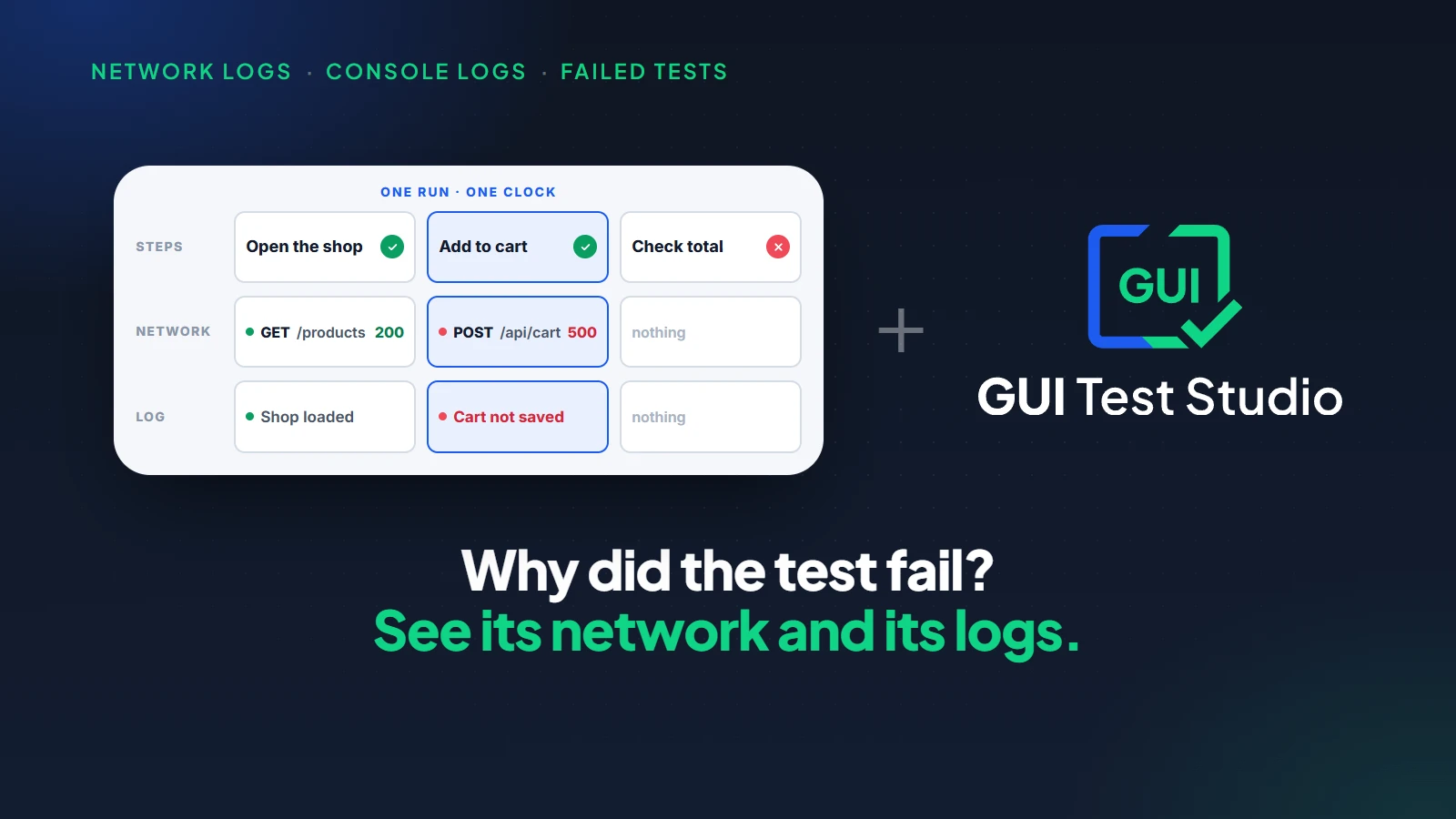
The usual habit is to collect every console message and look at the list once the last step is done. It catches the errors, but loses what a developer needs to fix them: where they came from.
Checked once, at the end
Which step caused them? The test cannot say.
Checked after each part
The failure stands where the errors happened.
A console error with no step attached is a riddle. The same error at the step that caused it is a bug report.
A failure that cannot be traced to a step also wastes time on reruns, the same trap described in flaky tests and false positives.
How do you fail a test on console errors in a coded framework?
In a coded framework such as Playwright, Cypress or Selenium, failing on console errors is code you write and keep up yourself.
| What you need | In a coded framework | In GUI Test Studio |
|---|---|---|
| Listening to the console | A listener on the page's console messages and uncaught errors, in every test or in a shared setup. | A switch when recording, or an option on the Open Web App step. |
| Keeping the errors | Code that collects the messages in a list during the test. | The run records them on its own timeline. |
| Known noise | An allow-list kept in the test code. | Except lines containing, a field of the check. |
| Where the check happens | Usually once, at the end of the test. | Wherever you drop a Check Log step on the timeline. |
Console errors in GUI Test Studio: the Check Log step
GUI Test Studio automates end-to-end tests of any app without code. A run can record what happened beside the screen, on the run's own clock: for a web app, every message of the page's console, its warnings, its errors and its uncaught errors.
Definition
A step of the test that looks at the log recorded since the previous check of the same rule, and passes or fails the test on what it finds.
- It stands on the timeline at the moment you choose, like a Wait.
| Rule | What it checks | Its field |
|---|---|---|
| No error was logged | No error line was logged since the previous check of this rule. | Except lines containing: the known noise to let through. |
| The log says | A line containing your text arrives. The step waits for it up to its time limit, 5 seconds by default. | Text: a part of the line, such as Order saved. |
| The log does not say | No line containing your text was logged. | Text: a part of the line that must never appear. |
Like every step of a test, a Check Log step has If It Fails: Stop the test, the default, or Continue the test to collect every failure of the run.A check with nothing being recorded fails and says what to add, so it can never pass by looking at an empty log.Waits and steps lists every step of the Test Flow group.
People decide which errors matter and read the check on a visual timeline. An AI assistant connected to GUI Test Studio can add Check Log steps when asked. The engine verifies the application at every run, with no call to an AI model.
Not only the browser console: desktop app logs and a phone's log
Errors in application logs matter outside the browser too, and the same Check Log step reads them.
| App under test | What the run can record as its log |
|---|---|
| A web app in Chrome, Edge or Firefox | The page's console: messages, warnings, errors and uncaught errors, with a browser window or without one. |
| A desktop app | Its debug output and any log file you name. Only the lines written during the run are read. |
| An Android phone | The phone's own log, its warnings and errors. |
A desktop app built on web technology is tested like any other desktop app, see Electron app testing.The requests a page makes are covered in network and console logs in test runs.
Known noise: let a third-party warning through
A check that fails on every run for the same harmless line soon gets switched off, and then it catches nothing. So keep the noise out of the check, not the check out of the test.
The chat widget logs a warning on every page, and an analytics script logs an error when it is blocked.The team writes chat widget; analytics in Except lines containing.Those two lines pass, and an uncaught error in the cart still fails the test at the step that caused it.
- Write a part of the line that is specific to the noise, never a word every error contains.
- Keep the list short, and remove an entry once the script that caused it is gone.
How to fail a test on console errors, step by step
Record
The log during runs
Check
After each part
Run
The test as it is
Read
The failed step
- 1
Make sure the test records the log
A web test recorded with Record network activity and logs during test runs switched on, the default, records the console at every run.Otherwise, turn on Record During a Run on the Open Web App step, or add a Watch Log step before the part to cover.
- 2
Drop a Check Log step after the part to cover
In GUI Test Studio, open the Events palette and the Test Flow group, then drag Check Log onto the timeline right after the step whose errors it should catch.
- 3
Choose No error was logged
In the Properties panel, set Check that to No error was logged.The step will look only at what was logged since the previous check of that rule.
- 4
Let known noise through
In Except lines containing, write a part of each known harmless line, separated by semicolons.
- 5
Choose what a failure does
Set If It Fails to Stop the test, the default, or Continue the test to collect every failure of the run.Check settings explains the choice.
- 6
Save, run and read the report
Save the test and run it.When the check fails, the Confidence Report shows the failed step, the line above the steps names what went wrong during it, and Show in Activity opens the log at that moment.
Find the error in the Confidence Report
The Confidence Report opens after every run. When the selected step had a logged error, a line above the steps says so, and Show in Activity opens the Activity panel at that moment.
| In the Activity panel | What it does |
|---|---|
| The Log tab | Every line recorded during the run, with its level and its moment, and a count on the tab. |
| Errors only | Hides the messages and warnings. |
| Selected step only | Keeps the lines logged while the selected step ran. |
| A click on a line | Goes to the step that was running when it was logged. |
The log can be exported as a text file and handed to a developer, and a bug report carries it in its evidence.The Confidence Report guide shows every part of the report, and how to read a test report walks through a failed run.
Console errors in a CI/CD pipeline
A Check Log step fails the run on a build agent as it does on your desk. gtr-cli, the command line runner, prints one activity line per test and the first failures under a test that did not pass.
gtr-cli run tests\Checkout.GTS --junit results\checkout.xml --artifacts results\checkout
Activity: 6 requests (3 failed), 23 log lines (20 errors)
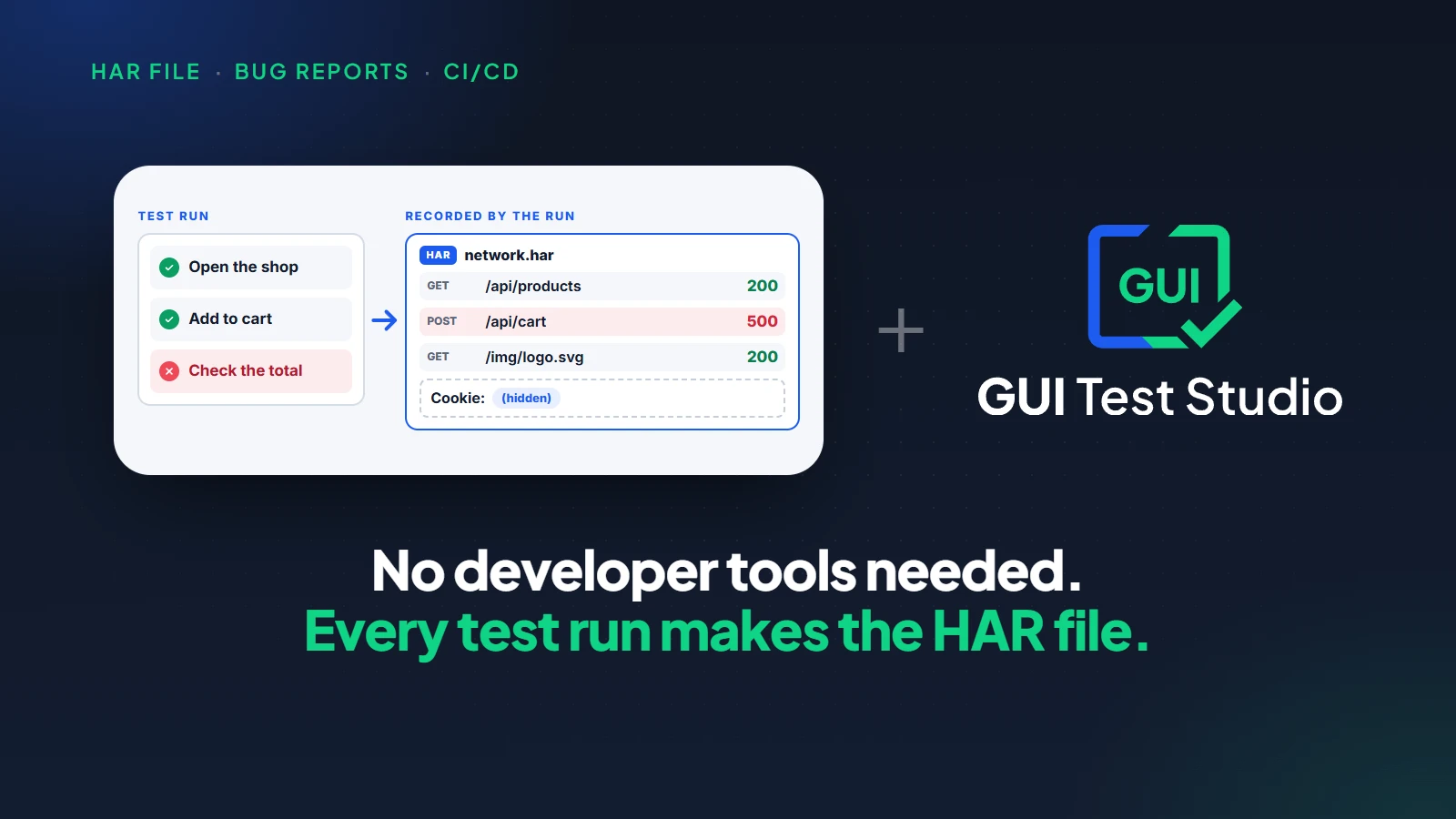
The artifacts folder holds log.txt and network.har, and the JSON results carry the activity.Run tests in your pipeline lists every option, and the requests of the same run are explained in a HAR file from automated tests.
What to know before you start
| Limit | What it means |
|---|---|
| The log is recorded during a run | Not while you record the test, and not in the editor. Run the test to see its log. |
| A check needs a recorded log | Turn on the log for the step or add a Watch Log step first, or the check fails and says so. |
| Checks are added by you | A recording never adds a Check Log step by itself, because an app's known errors must not fail a fresh test. You decide where errors matter. |
| Secrets stay hidden | A value that carries a token, a key or a password is kept as hidden, and the run's files stay on your team's computers. |
Key takeaways
- 1A screen can look right while the console fills with errors, so a test that reads only the screen lets them ship.
- 2A console check once at the end loses where the error came from, and that is what a developer needs to fix it.
- 3A Check Log step fails the test at the step where it stands, judging only what was logged since the previous check of its rule.
- 4Known noise is a short list of exceptions, not a check switched off.
- 5The same step reads a browser console, a desktop app's debug output, a log file and a phone's log, and the Confidence Report opens the log at the failed step.
Questions
How do I make an automated test fail on console errors?
Add a step that checks the log after the part of the test it covers. In GUI Test Studio, a Check Log step set to No error was logged fails the test when an error was logged since the previous check of that rule. No code is needed.
Which console errors should fail a test?
Uncaught JavaScript errors and errors your own app logs should fail it, because they mean something broke even if the screen looks right. Known warnings from third-party scripts usually should not, so list them as exceptions.
How do I ignore known console errors from third-party scripts?
Write a part of each known line in the check's Except lines containing field, separated by semicolons. Those lines pass, and every other error still fails the test. Keep the list short and review it from time to time.
Why check console errors after each step instead of at the end?
Because a check at the end cannot say which step caused the error. A Check Log step looks only at what was logged since the previous check of the same rule, so its failure points at the part of the test where the error happened.
Can a test check the log of a desktop application?
Yes. A run can record a desktop app's debug output and any log file you name, and a Check Log step judges them like a browser console. A phone's own log can be recorded and checked too.
How do I check that a message appears in the log?
Use the Check Log rule The log says, with a part of the line as its text, such as Order saved. It waits up to its time limit for that line, then fails if it never came. The log does not say checks the opposite.
Where do I see the console errors of a failed run?
In the Confidence Report's Activity panel, on its Log tab. Errors only and Selected step only narrow the list, and clicking a line takes you to the step that was running when it was logged.
Do I need to write code to check console errors?
No. In GUI Test Studio the log is recorded by a switch or a step, and the check is a step you drop on the timeline and set in its Properties panel. An AI assistant connected to GUI Test Studio can add it for you too.
Playwright, Cypress, Selenium, Chrome, Edge, Firefox and Android are trademarks of their respective owners.