QA Testers and AI: What a Tester Does When AI Writes the Tests
QA testers and AI: AI takes over the typing of tests, the tester keeps the judgment. What changes in the job, and which skills are worth growing.
AI will not replace QA testers. It takes over the typing of tests. The tester keeps what needs judgment: deciding what matters, reviewing what was checked, telling a bug from an intended change, and exploring.
If you test software for a living, the news is hard to read calmly. An assistant now produces in a minute the test that took you an afternoon, and someone in a meeting has already asked whether the team still needs testers. This article answers without hype: what changes in the job, what does not, and which skills are worth growing.
Will AI replace QA testers?
Definition
A test has two parts: the typing and the thinking.
- The typing turns a workflow into steps a machine can replay: click here, type this, wait for that.
- The thinking decides which workflow deserves a test, what must be true at the end, and what a failure means.
AI is good at the first part, and it cannot do the second for you.
An AI assistant has never talked to your customers. It does not know that the invoice total matters more than the colour of the footer, or that the export button moved on purpose last week. A test it creates checks what it was told to check, and someone has to do the telling.
AI changes who types the test. It does not change who knows what the test is for.
Which testing stays human, and which checks are worth automating, is laid out in manual testing vs automated testing.
What AI does well, and what stays with the tester
The fair picture is a split, not a replacement. Here it is, one part of the work at a time.
| Part of the work | What AI does well | What stays with the tester |
|---|---|---|
| Creating a test | Turns a described workflow into recorded steps and checks in minutes. | Choosing which workflows deserve a test, and describing them clearly. |
| Choosing the checks | Proposes checks for what it sees on the screen. | Deciding what must be true for the user: the total, the message, the saved record. |
| Keeping tests up to date | Makes the change you ask for in a saved test. | Deciding whether the app or the test is right. |
| Reading a failure | Describes what differs between expected and actual, in plain words. | Deciding what it means: a bug to report, or a change to accept. |
| Finding new bugs | Follows the path it was given. | Exploring, noticing what feels wrong, asking what happens if. |
| Weighing risk | Treats every screen alike. | Knowing which failure would hurt a customer or the business. |
A QA tester's day, before and after AI
Ask a tester where the week goes, and the honest answer is rarely finding bugs. For a tester who automates with a coded test framework, it goes to writing scripts and repairing the ones a changed screen broke. For a tester who checks by hand, it goes to clicking through the same screens before every release.
Before: the day goes to typing
Writing test scripts, or clicking through the same screens by hand
Repairing the tests a changed screen broke
Waiting for someone who can fix a script
Exploring the app, when time is left
After: the day goes to judgment
Describing the workflows worth testing
Reviewing what each test checks
Reading reports and deciding: bug or change
Exploring the app, every day
When AI and a no-code tool take the typing, the day turns around. You describe the workflows worth testing, review what each test checks, read the reports, and decide. Exploring stops being what is left over on a Friday afternoon.
The four decisions only a tester makes
Four decisions stay with a person, whoever or whatever typed the test.
What matters
Out of a hundred workflows, a few carry the business, and a tester knows which ones.
What was checked
A test that goes through a checkout without checking the total proves little, so someone reviews what each test verifies.
Bug or change
When a check fails, only someone who knows the product can say whether the app broke or changed on purpose.
What nobody planned
Exploring finds the bug no test was written for, because a curious person tries what a user might try.
A run fails on the Confirm order button: it is grey where it was blue. The report explains that the button changed from active to disabled. That is accurate, and it is not yet the answer.
The tester knows the basket was empty in this run, because yesterday's change clears it at sign-in. The real bug sits two screens earlier than the check that failed. The explanation said what changed. The tester worked out why it matters.
QA tester skills worth growing when AI writes the tests
None of these four skills is programming. Each one is something a good tester already does, made visible.
| Skill | What it looks like | How to practise it |
|---|---|---|
| Describing a workflow clearly | Where it starts, the steps a user takes, and the result that must be true. | Write one test case so that a new colleague could run it without asking a question. |
| Choosing what to verify | The few facts that prove the workflow worked. | For each test, name the one result a customer would complain about if it were wrong. |
| Reading a report | From failed to what failed, why, and what to do next, in minutes. | Open every failed run and say the cause aloud before you read any explanation. |
| Thinking about risk | More tests where a failure costs the most. | Rank your workflows by what breaks for the customer when they fail. |
Vague: "Test the checkout." An assistant has to guess the product, the payment and what success looks like.
Clear: "Open the shop, sign in as the test customer, add the desk lamp to the basket, pay with the test card, and check that the page says Order confirmed and shows a total of 49.00." The start, the steps and the proof are all there. That sentence is the skill.
Two guides help with the second and third skills: what to verify explains the checks a test can make, and how to read a test report walks through a failure from the verdict to the next step.
Why a no-code tool gives the tests back to the tester
In many teams the tests belong to whoever can write code. The tester knows the scenario, asks for a test, and waits for a developer to write the script. When a changed screen breaks it, the tester waits again. The knowledge sits with one person and the keys with another.
| Question | With tests written as code | With a no-code tool |
|---|---|---|
| Who creates a test? | Someone who can program. | The tester who knows the scenario. |
| Who repairs it when the app changes? | The same person, when they have time. | The tester, on the same day. |
| Who can read what it checks? | People who read code. | Anyone on the team. |
| What does one more check cost? | A request, and a wait. | A minute. |
AI alone does not change this. An assistant that writes a script still leaves you with code to read, to trust and to keep up. Ownership comes back when the test itself is something a tester can read and change.
How a QA tester and AI work together in GUI Test Studio
GUI Test Studio automates end-to-end tests without code, for desktop apps, web apps, games and Android phones. It is built so that the tester stays at both ends of the work.
You
Say what matters
The workflow, and what must be true at the end
AI
Does the typing
Performs the steps and adds the checks you asked for
The test
Replays by itself
The same steps at every run, with no AI driving
You
Judge the result
A bug to report, or a change to accept
Create: record the test, or describe it in a prompt
Record a test by doing the workflow once in GUI Test Runner-Recorder.Or describe it to the assistant you already use, Claude or ChatGPT with Codex, or to a local AI model, one we provide or your own.The assistant performs the steps on your screen, adds the checks you asked for, and saves an ordinary test.See Create a test from a prompt.
After a recording, the question What should this test verify? creates the checks for you: the elements you used, the words on the screen, and what appears without a click.
Review: read the test on a timeline, in plain words
Open the test in GUI Test Studio and every step is a named block on a timeline, like the clips of a video: a click, a typed text, a check.Rename a step, move it, add a check or change what one expects.There is no code to read, whoever created the test.A tour of GUI Test Studio shows the window.
Run: the test replays by itself
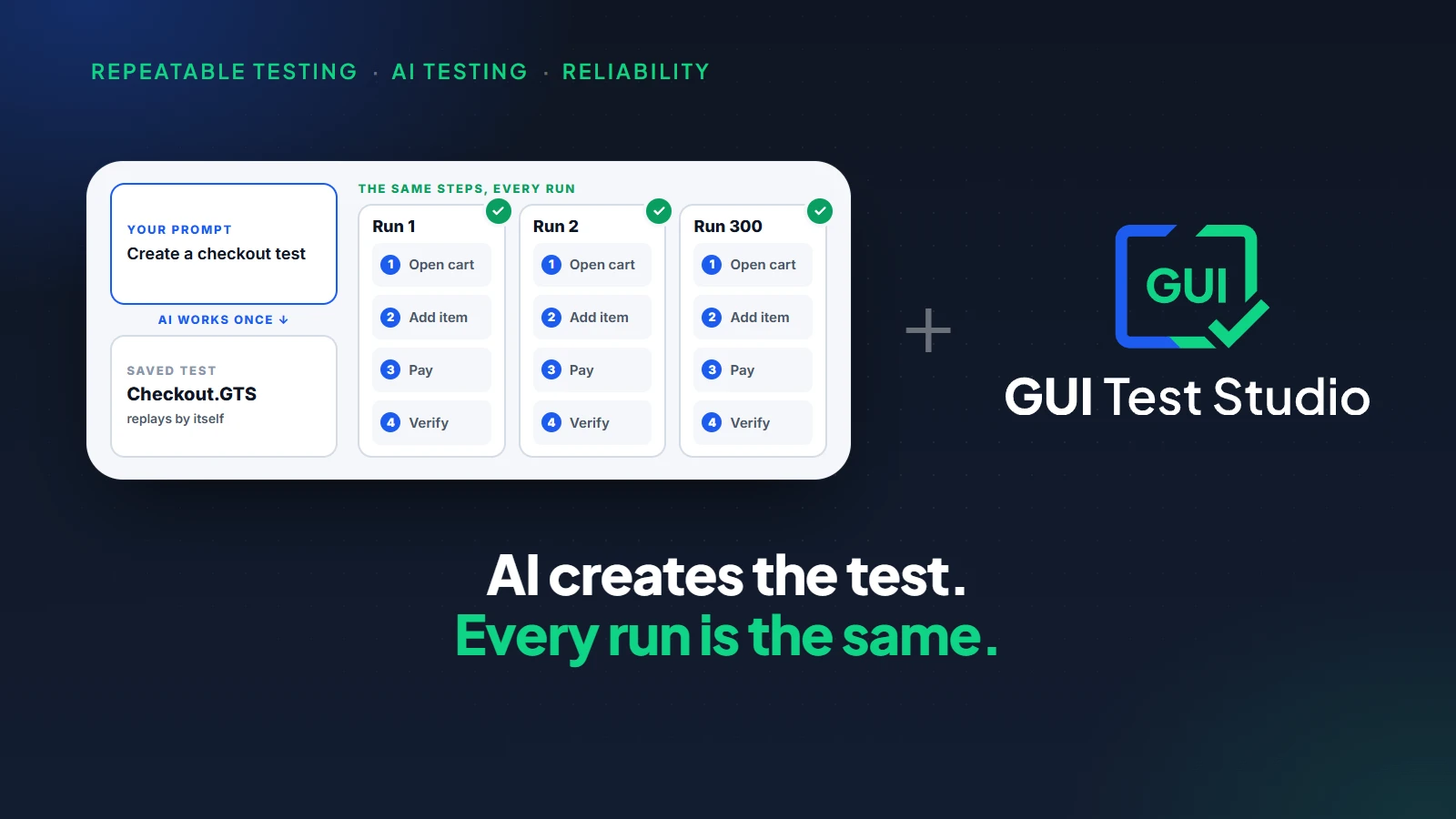
No AI drives the app during a run. The same steps run in the same order every time, so the same test on the same app gives the same answer. For a reviewer this matters: what you approved is what runs.
Decide: a report in plain words, and one click either way
Every run ends with a Confidence Report: every step, what passed, what failed and why, with the expected picture beside what the run found.With AI Smart Verification on, which is optional, a failed check also gets a second look and an explanation a person would write.
A check failed
The Confirm order button changed from active to disabled.
The report says what changed, in plain words.
You decide what it means
The app is broken
Create a bug report: the steps and the pictures are filled in.
The app changed on purpose
Accept the new look: the test expects it from the next run on.
If the app changed on purpose, Accept actual as expected takes the new look in one click, and it can be undone until you save.If the app is broken, Bug Report opens a report already filled in from the run.An assistant can prepare either one for you, and it asks before anything is accepted.
How to review a test that AI created
Review an assistant's test as you would a new colleague's: kindly, and completely.
Five questions are enough.
- Does the test start from a known state, the same screen and the same account every time?
- Does it follow the workflow a real user follows?
- Does it check the result that matters, and not only that a screen opened?
- Would it fail if the app were wrong?
- Is each step named so that the next person understands it?
What to know before you start
| Limit | What it means |
|---|---|
| A test checks what it was told to check | Nothing looks at what no check covers. Exploring stays your job. |
| A vague description gives a vague test | An assistant fills the gaps with guesses, so review every test it created before you rely on it. |
The future of QA testing: less typing, more judgment
Two questions come up whenever AI and testing meet.The first is whether an AI agent should improvise the testing at every run, or help a person build tests that then run by themselves: agentic testing vs AI-assisted testing compares the two.The second is whether a result can be trusted because it feels right, which what is vibe testing looks at.
Whatever the answers, the same person is needed: the one who can say what must be true, and check that it is. The title on the door may change. The need for someone who knows the product, and who answers for what was tested, does not.
How the whole team builds software once AI agents write the code is the subject of what is ADLC, the agentic development life cycle.
Key takeaways
- 1AI takes over the typing of tests, not the thinking: the steps, the scripts and their repair.
- 2Four decisions stay with the tester: what matters, what was checked, bug or intended change, and what to explore.
- 3The skills worth growing are not programming: describing a workflow, choosing what to verify, reading a report, thinking about risk.
- 4A no-code tool gives the tests back to the tester, with no wait for someone to write or repair a script.
- 5In GUI Test Studio the tester stays at both ends: describe or record the test, then decide on each failure in one click.
Questions
Will AI replace QA testers?
No. AI takes over the typing of tests, not the judgment behind them. Someone still decides which workflows matter, reviews what each test checks, and tells a bug from an intended change. That someone is the tester.
What does a QA tester do when AI writes the tests?
The tester describes the workflows worth testing, reviews the checks the AI created, reads the reports and decides what each failure means. The hours once spent writing and repairing scripts go to exploring the app and thinking about risk.
Which skills should a QA tester learn to work with AI?
Four skills matter most: describing a workflow clearly, choosing what to verify, reading a test report, and thinking about risk. None of them is programming. All of them come from knowing the product and its users, which a tester already does.
Does a QA tester need to learn to code to use AI testing tools?
Not with a no-code tool. In GUI Test Studio, a test is recorded or described in a prompt, read and edited on a timeline in plain words, and its report explains a failure in plain words. Coding stays a useful skill, but it is no longer the door to automation.
Can I trust a test that AI created?
Trust it after you have reviewed it, as you would a colleague's test. In GUI Test Studio, each check the assistant adds is tried on the screen as it is made, you can read every step on the timeline, and the saved test replays by itself with no AI driving it.
Who decides whether a failed test is a bug?
A person does. AI can describe what changed on the screen, but only someone who knows the product can say whether the change was intended. In GUI Test Studio that decision takes one click either way: accept the new look, or create a bug report.
Is manual testing still needed when AI writes tests?
Yes, the part that needs a person. Exploring a new feature, judging whether a screen is clear and noticing what nobody planned stay human work. What goes away is repeating the same scripted checks by hand before every release.
Claude, ChatGPT, Codex and Windows are trademarks of their respective owners.