Deterministic End‑to‑End Testing for the AI Era.
Record a test scenario or let AI generate it.GUI Test Studio executes and verifies.
- Create end-to-end tests from a prompt or a recording.
- Zero-flake E2E tests: web, desktop, mobile, games.
- Edit tests visually or let AI handle it.
- On-premise execution with local or cloud AI verification.
- Reproducibility for high-confidence QA reporting.
- Sign in pass
- Success badge fail
- Search a product pass
- Checkout pass
Success badgeFailed
The success badge's icon changed from a tick to an exclamation mark.
- Web · Desktop · Mobile · Games
- Cloud or local
- Universal Compatibility
How do you create and edit E2E tests today?
Pick yours to see its limits, and what GUI Test Studio does instead.
Select one to reveal
Testing by hand
 GUI Test Studio
Testing by hand
Slow and costly
Every software change forces your team to manually repeat entire user flows, draining time, budget, and engineering resources.
GUI Test Studio
Record it once
Record the workflow once, or describe it in a prompt.It then runs on every build with nobody at the screen.
Testing by hand
Easy to miss
After the hundredth repetition, tired eyes skip a moved button or a wrong number.
GUI Test Studio
The same check, every run
Every run checks the screen the same way and outlines what changed.
Testing by hand
Every environment multiplies the work
Each new platform, device, or language means doing it all again.
GUI Test Studio
Every browser and device from one test
Record once: If it's a web test then it's generated for cross-browser and cross-devices, GTS seamlessly manages different visual baselines across all your web, Windows desktop, and mobile environments without duplicating tests.
Testing by hand
No evidence of what was checked
A failure is a note from memory, and reproducing it takes time.
GUI Test Studio
Every run keeps its proof
Each execution generates a detailed confidence report and full test history.Failed runs instantly become complete bug reports with exact reproduction steps ready to export as a file or automatically sync to Jira as a new issue.
A comparison study puts GUI Test Studio side by side with Selenium, Playwright, Cypress, Katalon, mabl, Applitools Eyes and Percy, point by point. Read the study
Web
Common limitations of other testing tools:
Custom web canvases
- Charts drawn on a canvas (Chart.js)the chart is one picture to the page
- Design tools (Figma)the whole canvas is drawn with WebGL
- Documents drawn on a canvas (Google Docs)
- Flutter web appsno elements until accessibility is turned on, which it is not by default
- Maps, games and drawing pads in a canvas
Desktop
Common limitations of other testing tools:
Desktop apps with nothing to hook into
- 4D applicationsWindows sees the window, nothing inside
- Java Swing applicationsnothing inside unless the Java Access Bridge is on; it is off by default
- PowerBuilder applicationsaccessibility support is off by default
- Delphi FireMonkey applicationsonly with an add-on package, through the older MSAA
- Remote desktops and Citrixyour computer receives a picture of the screen
- Virtual machines, and a phone shown on your screen
Games
Common limitations of other testing tools:
Games: nothing to hook into
A game draws every frame itself: no DOM, no elements, no accessibility tree, just pixels on the screen.
- Unity, Unreal, Godot
Common problems with today's testing tools
Click a card to see what happens, and what GUI Test Studio does instead.
What happens
A coded check asks the page's code whether an element is there.Your user only sees the screen. These bugs pass a check of the code:
Covered
- The code: the button is there.
- Your user: cannot see it, cannot press it.
Invisible
- The code: the text is there.
- Your user: sees nothing.
Cut off
- The code: the full text "Confirm your order".
- Your user: half a sentence.
Overlapping
- The code: both cards are there.
- Your user: a mess.
Unstyled
- The code: every element still there (the style sheet failed to load).
- Your user: a broken site.
Wrong colour, broken picture
- The code: the button and the image are there.
- Your user: a different product.
A screenshot comparison can catch these too, at the price of a reference picture per browser and system, and false alarms when rendering differs between machines.
With GUI Test Studio
Every check compares the screen itself, so a covered, invisible, cut-off or discoloured element fails the test.
What happens
A coded test points at the page's code.Rename a class, move a button into a new container, and the test fails although the screen looks the same.Playwright's own documentation warns that such locators "can break when the DOM structure changes".
With GUI Test Studio
No locator to write.The GTS Engine + AI asks the application where the element is, and finds it by sight when the application does not say.
What happens
Coded tools find what to act on by its role, its label, its text or the app's code.Many apps draw their own pixels: a chart's bars, a map's pins, a game, a whole remote desktop.What is drawn has no element, role, label or text, so no locator can find it: the test clicks at coordinates, and a check needs the app's own code or a screenshot.
On the web
- Charts drawn on a canvas (Chart.js)the chart is one picture to the page
- Design tools (Figma)the whole canvas is drawn with WebGL
- Documents drawn on a canvas (Google Docs)since 2021
- Flutter web appsno elements until accessibility is turned on, which it is not by default
- Maps, games and drawing pads in a canvas
On Windows
- 4D applicationsWindows sees the window, nothing inside
- Java Swing applicationsnothing inside unless the Java Access Bridge is on; it is off by default
- PowerBuilder applicationsaccessibility support is off by default
- Delphi FireMonkey applicationsonly with an add-on package, through the older MSAA
- Remote desktops and Citrixyour computer receives a picture of the screen
- Virtual machines, and a phone shown on your screen
Most standard Windows apps (WinForms, WPF, WinUI, Qt, Electron) do describe themselves to Windows.GUI Test Studio uses that first, and finds the rest by sight.
With GUI Test Studio
It finds and checks them by sight, the way a person does.
What happens
Every test is code, and every change to the app is a change to that code: the more tests a team has, the more code it has to keep working.The people who know what should be tested, testers and product owners, cannot write or fix it.
With GUI Test Studio
Record the workflow, or describe it in a prompt to Claude, ChatGPT or a local AI model, one we provide or one you bring.Edit the steps on a visual timeline, or ask the AI for the change.
What happens
A raw screenshot comparison can fail when fonts or rendering differ between machines: Playwright's own documentation names the operating system, its settings, the hardware and headless mode.
With GUI Test Studio
Only a clear change in one area counts: rendering noise is ignored, real regressions are caught, and AI explains in plain words what changed.
Prefer an exact comparison?Pixel-perfect matching can be turned on per check in GUI Test Studio.
What happens
A game draws its menus, inventory and HUD itself on the graphics card.Unity (6.3 and later), Unreal and Godot (4.5, experimental) can describe menus to screen readers only when the studio builds that in, screen by screen; the game world itself is never described.Coded tools also cannot play with a gamepad.
With GUI Test Studio
It sees the game the way the player does, and records and replays keyboard, mouse and gamepad input (an Xbox-style controller).Smoke-test every build without playing the same ten minutes every morning.
What happens
Test screens show customer names, prices and internal tools.Visual testing services upload every screenshot to their cloud: Percy and Argos always, Applitools by default (its on-premises option is sold at a higher price).
With GUI Test Studio
Your tests, screens and results stay on your own computers, in every plan, at no extra cost.AI Smart Verification can run with a local AI model, one we provide or one you bring, so even the AI stays in your company.
What happens
Every screenshot counts against a monthly allowance. Percy and Argos are limited to 5,000 screenshots a month on their entry plans; Percy's Desktop plan is $199 a month (billed yearly) for 10,000, then $0.036 per screenshot; Argos Pro is $100 a month for 35,000, then $0.004 per screenshot; Applitools starts at $667 a month (billed yearly).More browsers, devices and runs mean a bigger bill.
Prices as published by each vendor on October 28, 2026.
With GUI Test Studio
One price per user: €39 a month, or €29 per user for a team.Unlimited tests, recordings and runs, on as many browsers and devices as you need.15-day free trial, no payment details.
What happens
Selenium and Playwright test web pages, WinAppDriver Windows apps, Appium phones: three tools, three skill sets, three kinds of test to maintain.
With GUI Test Studio
One tool and one kind of test for web apps, desktop apps, Android phones and games.
What happens
A coded test fails with a stack trace, a page of code only a developer can read.
With GUI Test Studio
Anyone on the team reads the result: the expected picture next to what the screen showed, the change outlined, and one plain sentence.
Every one of these problems in full, with what happens and what GUI Test Studio does instead, in the comparison study.
Read more about these problemsA custom AI agent script
GUI Test Studio
A custom AI agent script
Non-deterministic
A model answers differently from one run to the next.
GUI Test Studio
Deterministic
Perceptual visual matching that ignores rendering noise, hardware variations or OS-level graphics differences and catches real changes.
A custom AI agent script
High latency, token costs, and data privacy issues
Continuously transmitting your proprietary app data to a cloud LLM at every step creates a slow, expensive security bottleneck.
GUI Test Studio
Local or Cloud AI: Your Choice
Intelligent test execution runs on your machine with zero API cost per run.AI is only an optional second look at a failed check.You have full control over your data: choose either to run local AI for complete privacy or use an AI provider of your choice.
A custom AI agent script
Compounding Flakiness
When AI guesses, mistakes multiply.Even with 95% accuracy per step, a 20-step test fails 64% of the time.One early hallucination breaks the whole run.
GUI Test Studio
Visual timeline editing
Drag, trim and update checks like a video montage, or ask the AI for the change.
A custom AI agent script
Black Box Maintenance Trap
When tests are purely prompt-driven, developers lose control.Debugging failures becomes a frustrating guessing game of reading AI logs and endlessly tweaking prompts, hoping the agent behaves differently next time.
GUI Test Studio
Visually Debug & Edit
Stop reading AI logs.GUI Test Studio gives you an intuitive timeline where you can see exactly what happened, scrub to the failure point, and instantly fix the step visually.
A custom AI agent script
Limited reach
Relies strictly on a DOM, accessibility trees, or specific application architectures.
GUI Test Studio
Architecture-Agnostic
Works even if accessibility trees are turned off or missing
If it is on a screen, you can test it.GTS goes even further by supporting frameworks that lack a DOM or accessibility tree like:
- Custom web canvases: Figma, Flutter, Google Docs
- Desktop frameworks: WPF, WinUI, Qt, Electron, 4D, Java Swing
- Game engines: Unity, Unreal, Godot
- Remote desktops
“The best code is no code at all.”
— Jeff Atwood
Coded tests become harder to maintain as they scale, excluding the rest of your team.GUI Test Studio replaces code with a clear visual timeline that anyone can understand and edit.Record your workflow, edit the steps visually, or simply ask the AI to update them for you.
Universal Compatibility
If you can see it, you can test it.
Interactions, Verifications, a Verdict
Web
e.g: An online store's sign-up: the welcome must greet the customer by name.A release greets everyone as "Guest": the test fails on the words.
New client
Client saved
Desktop
e.g: An insurer's client software: agents save every new client with one button.A release moves that button: the test outlines where it stood and where it is now.
Game
e.g: A visual check watches the HUD, with no DOM and no accessibility tree.A life is missing: the check marks the place.
Drawings of example apps, not screenshots.
Connect your workflow
Figma, Jira, your pipeline, your AI assistant
What a test can verify
Visual, text, dynamic text and layout, all without code
Pick the check that matches what you would look for with your own eyes.Each one is edited visually, on the real frame, and tells you before you run whether it will pass.
Precise Element Verification
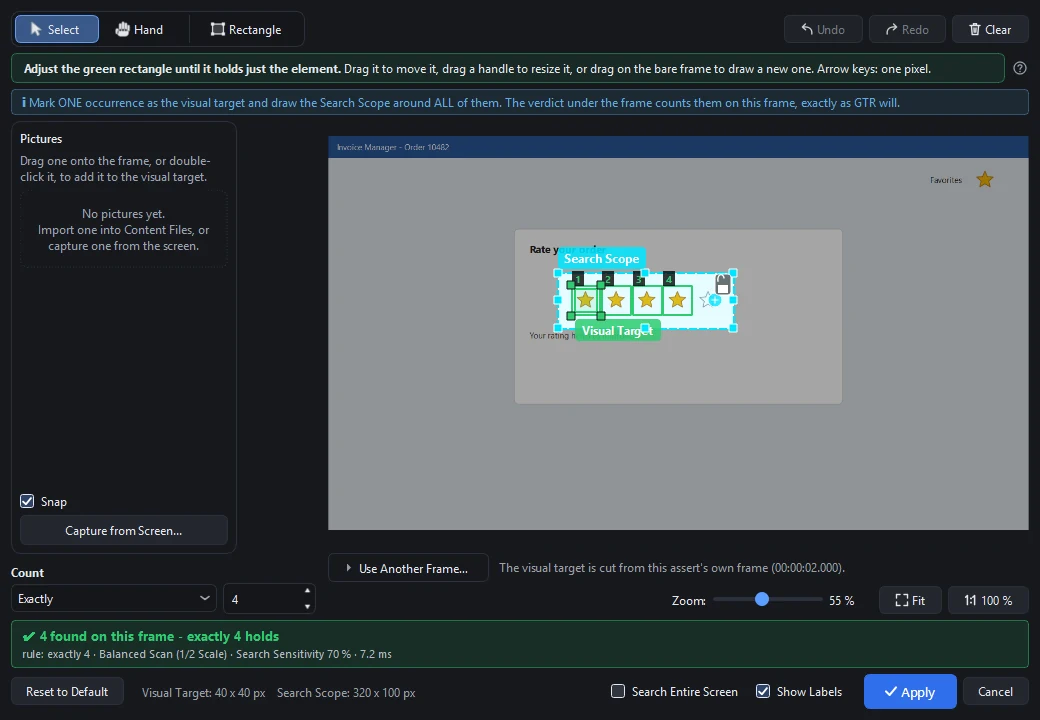
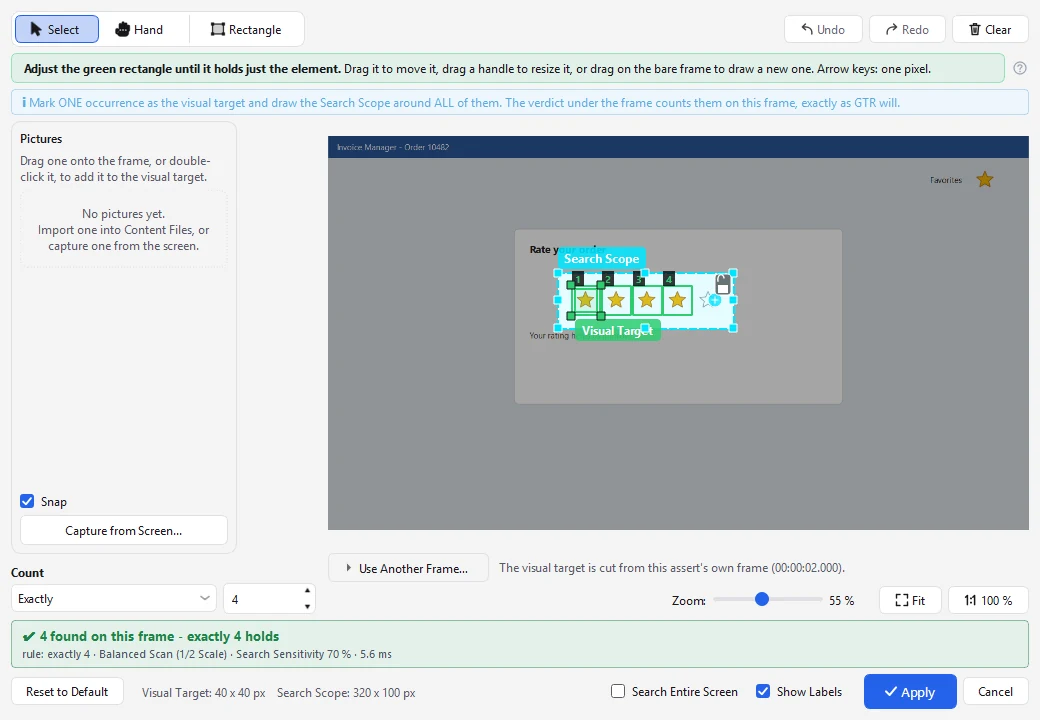
Draw a box around any UI element.Verify that it appears, disappears (like a loading spinner), or matches an exact count (like a 5-star rating).
Example: after "Save", the green confirmation badge must appear, and the loading spinner must disappear.
Prefer an exact comparison?Pixel-perfect matching can be turned on per check in GUI Test Studio.
Not only for regressions
Test a feature while it is still being built
Build the test from your design, in Figma or any other tool, before the feature exists.
One test, for the whole life of a feature
- 11. Design
- 22. Development
- 33. Acceptance
- 44. Release and after
With GUI Test Studio
Tests written against the finished screens
1Design
Before it is built
2Development
During development
3Acceptance
User acceptance testing
4Release and after
Regressions
Montage editing, for tests
If you have ever edited a video, you already know how to edit a test.
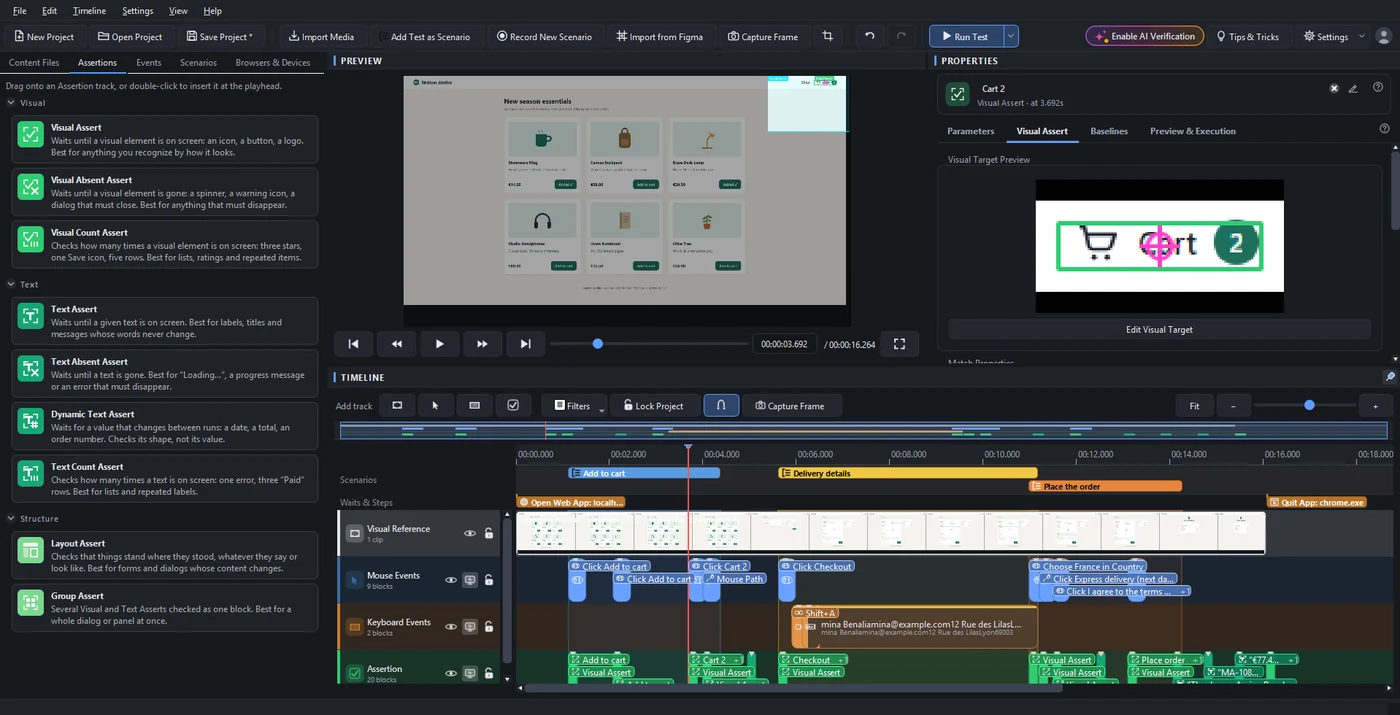
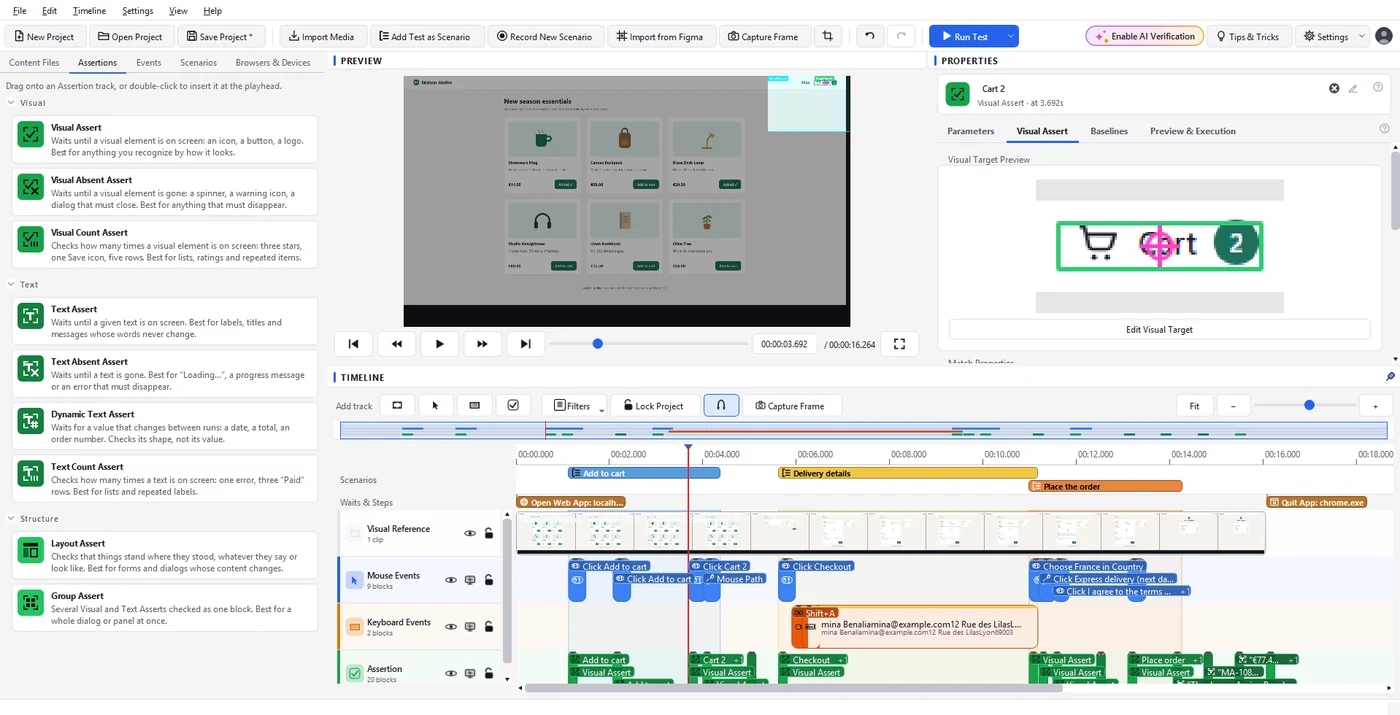
- Scrub through the recording and see every step where it happened
- Drag checks onto the timeline and draw what to watch, right on the frame
- Or describe the change in a prompt: your AI assistant edits the test in place, and asks before it writes
Multiple baselines
One test for every environment your users have
A check can hold several expected versions, one per baseline profile.You write the test once and run it everywhere, instead of copying it for each browser, theme or language and keeping the copies in sync forever.
Light and dark mode
One check, two expected looks.The run picks the right one.
Chrome, Firefox and Edge
Fonts render differently in every browser.GUI Test Studio handles this for you, making it easy to maintain tests across every browser and device you need.
Laptop screen and 4K monitor
Different sizes and scaling, the same test.
Your app in five languages
The French button says "Enregistrer".GUI Test Studio keeps the French version beside the others.
Adding a version is as simple as running the test in that environment and accepting what you see.
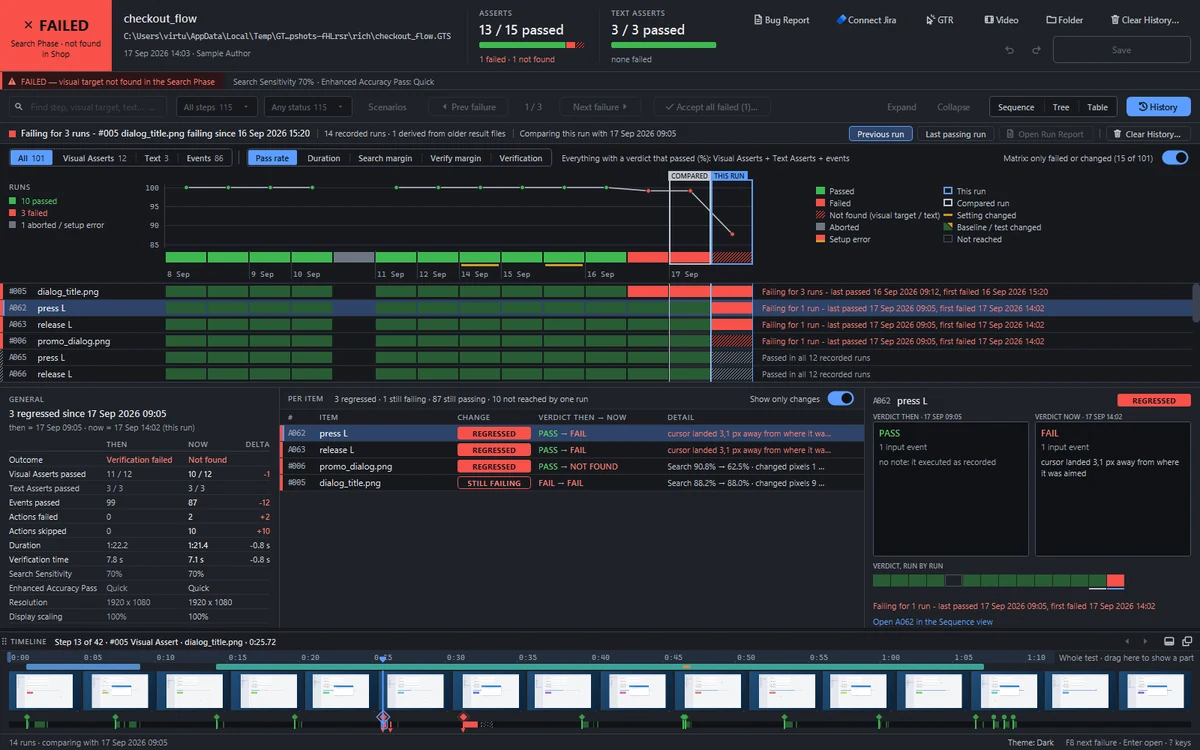
CI/CD ready
Runs in your pipeline, reports where your team looks
The command-line runner plays a test exactly like the app does, then hands your pipeline an exit code, JUnit, JSON and Markdown results, and every picture of a failure in one folder.
Your pipeline
and any tool that runs a command
jobs: gui-tests: runs-on: [self-hosted, windows] steps: - run: gtr-cli run tests --format github --junit results.xml
Running 12 tests on the screen of the build agent...
PASSED 12 of 12 tests · exit code 0
- Exit code0 when every test passed, 1 when one failed: the build goes green or red.
- JUnit, JSON, MarkdownResults your pipeline shows as test results, with every step named.
- Every failure's evidenceExpected and actual pictures, the screen, the report and the video in one folder.
- A command builder inside both apps, so nobody has to learn the options by heart
- Retries, time limits and fail-fast for large suites
- Lightweight runner tests without the recording, for build agents
Questions
What teams ask before they start
Something else on your mind? Read every answer or ask us directly.